首すげ替え NeckFit|別のアバターの頭を今の体に載せ替え、首の継ぎ目と肌の色を合わせる【VRChat・NDMF・非破壊】
- ダウンロード商品製品版¥ 750
- ダウンロード商品無料お試し版¥ 0無料ダウンロードNeckFit_1.1.0_trial.zip(56.8 KB)NeckFit_1.1.0_trial.zip
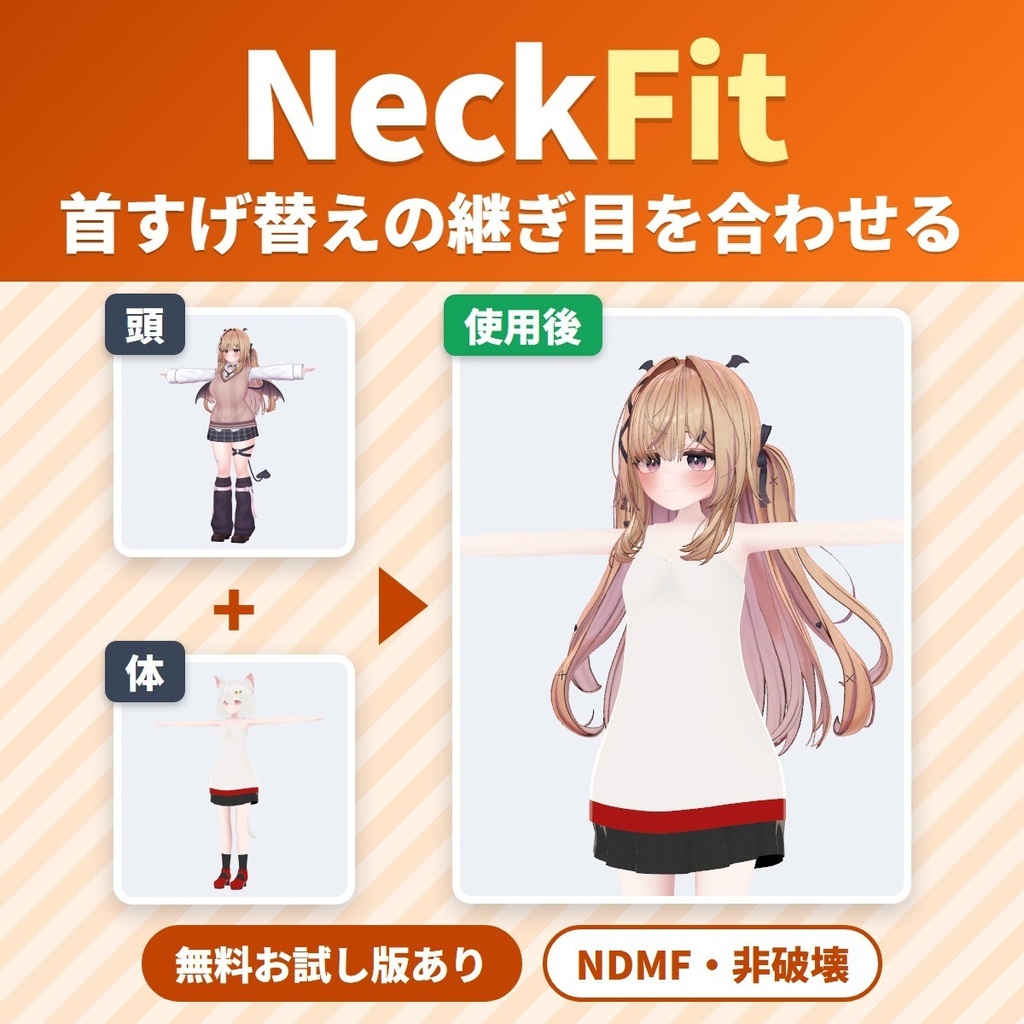
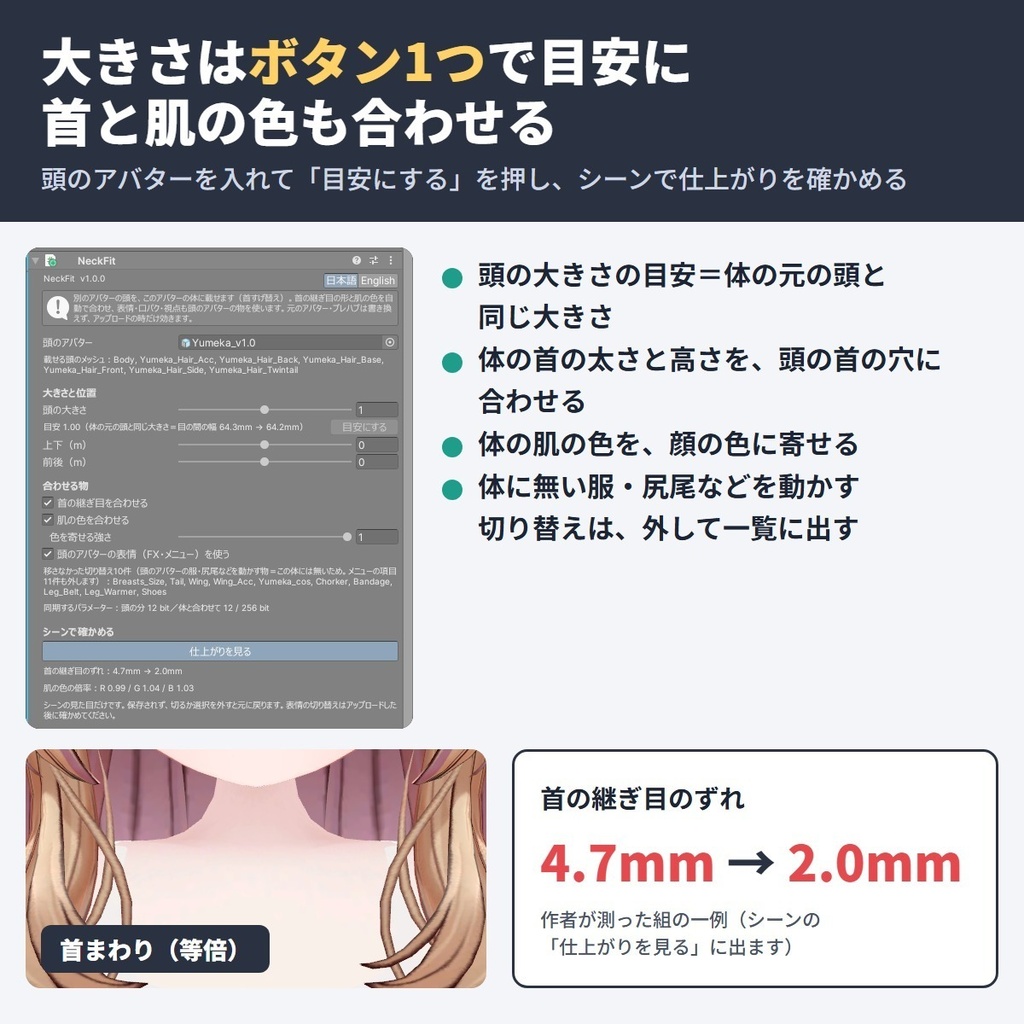
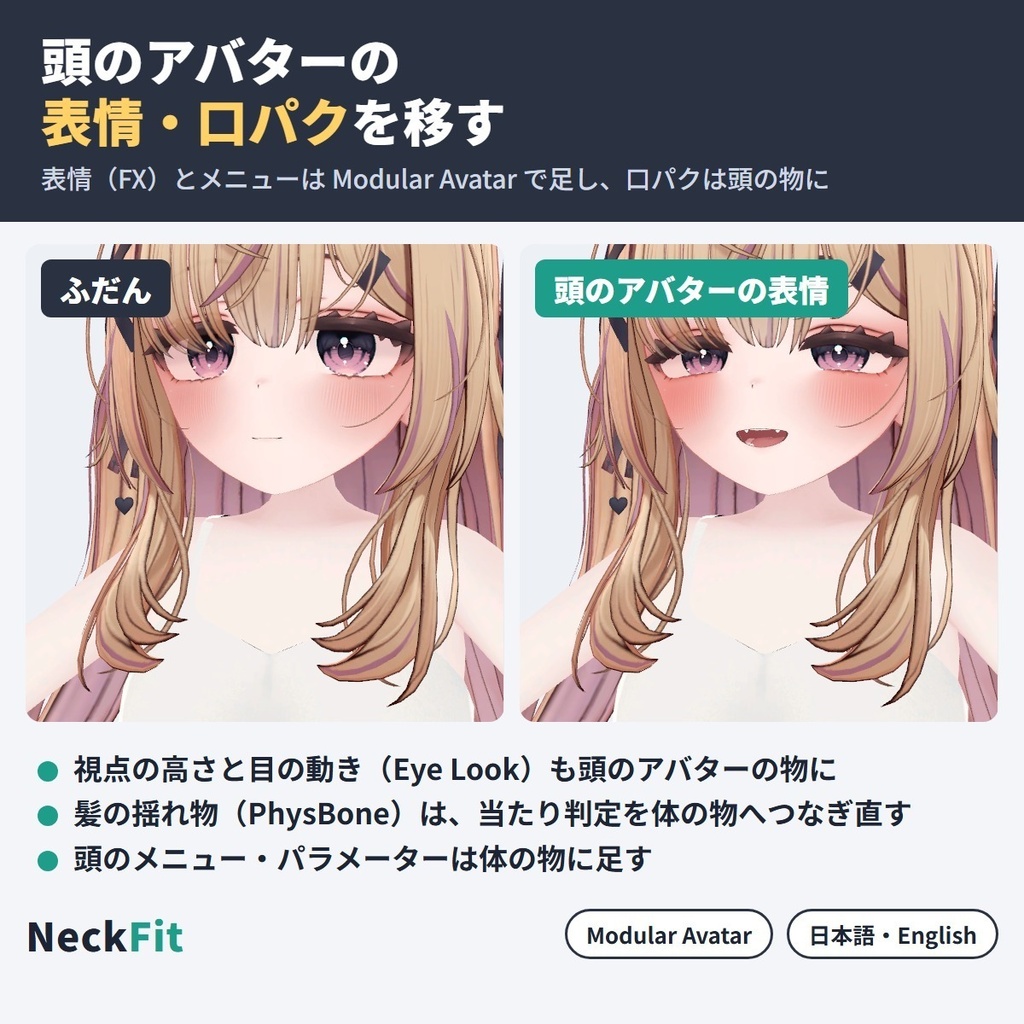
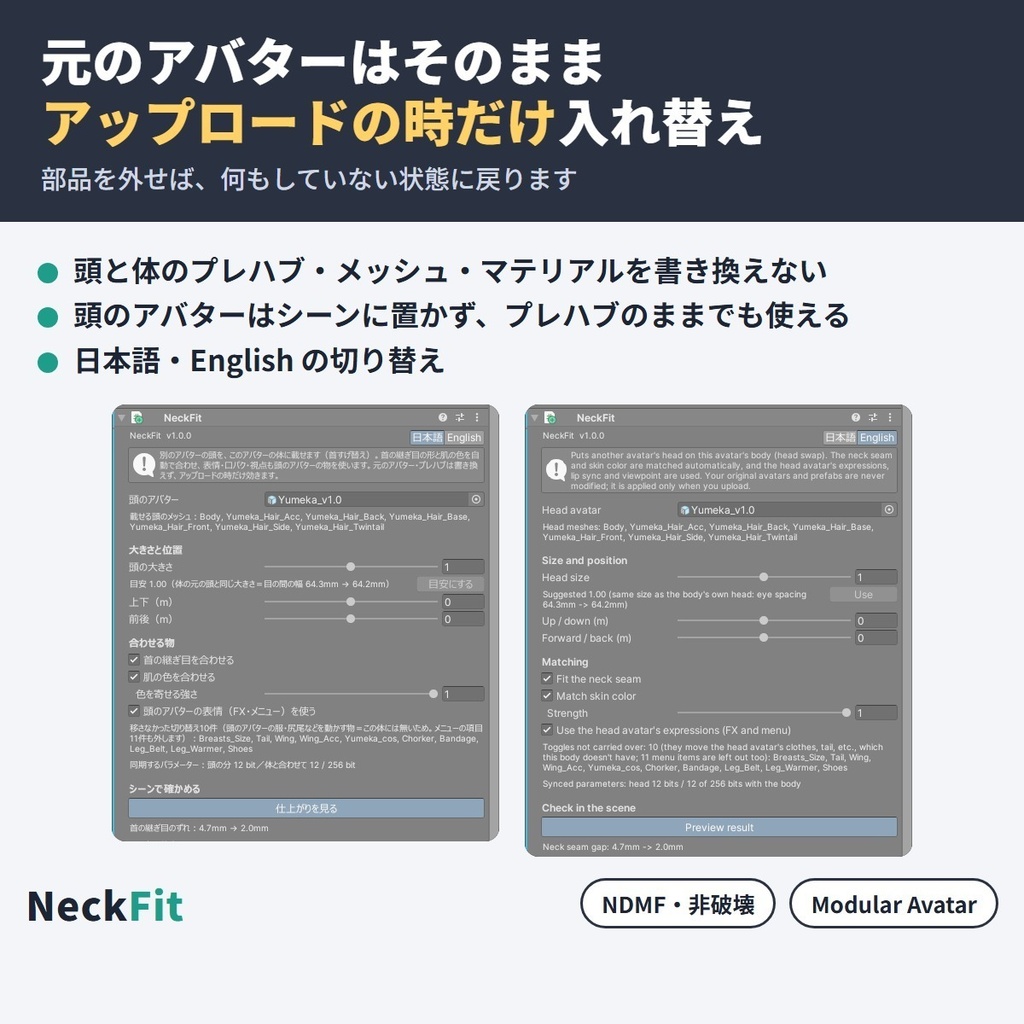
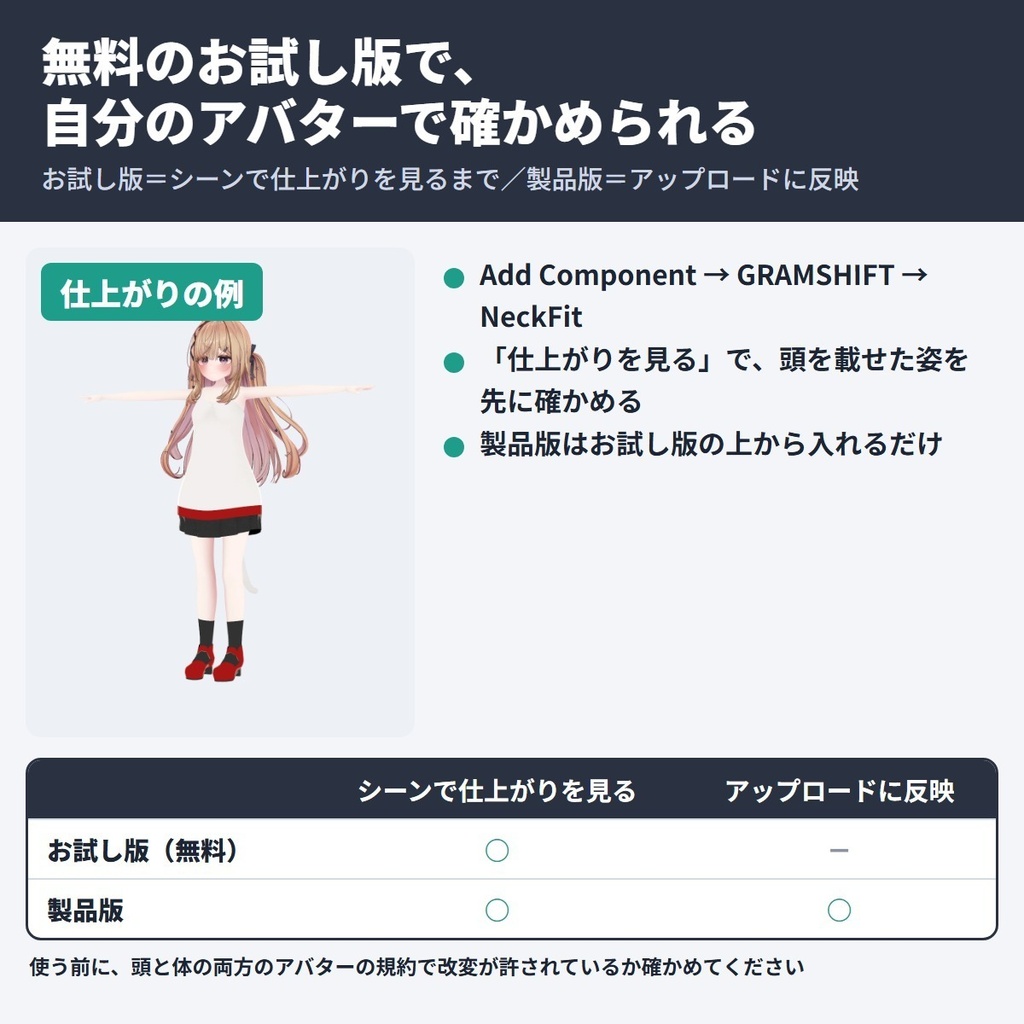
別のアバターの頭(顔・髪)を、いま使っている VRChat アバターの体に載せ替える「首すげ替え(キメラ)」の Unity エディタ拡張です(NDMF 対応・非破壊)。 体の首の太さと高さを頭の首の穴に合わせ、首の付け根の肌の色を顔の色に寄せるので、首の継ぎ目(境目)のすき間と肌の色の違いを小さくできます。頭のアバターの表情・口パクを移し、目の動きと視点も頭の物になります。元のアバターのファイルは書き換えません。 ■ できること ・アバターの対応表なし。下の「動作環境」に合う頭と体の組で使える ・頭の大きさはボタン1つで「目安」(体の元の頭と同じ大きさ)に。「上下」「前後」で細かく動かせる ・首の継ぎ目を合わせる(形・重み・法線)/首の付け根の肌の色を合わせる(どちらもオン/オフ・肌の色は強さも) ・頭のアバターの表情(FX・Expression メニュー)を移す(オン/オフ)。口パク・視点・目の動きとまぶたは、いつも頭のアバターの物になる ・パラメーターの名前が体とぶつかる時は頭の方を付け替え、表情の Write Defaults は体にそろえる ・髪などの揺れ物(PhysBone)は頭と一緒に移る。体では動かす物が無い頭の切り替えはメニューごと外し、名前と数を表示 ・「仕上がりを見る」でアップロード前にシーンで確かめられる。部品を外せば元の体に戻る ・日本語/English 切り替え ■ 確かめた結果(作者の Unity の中での検査) ・ゆめかの頭 → フェリスの体(服あり・なし):首の継ぎ目のずれ(最大)4.7mm → 2.0mm ・同じ組(服なし):首の継ぎ目をはさんだ上下 1.5cm の肌の色の差(ΔE)15.6 → 1.3(2 未満は並べても見分けにくい差)。顔のシェイプキー 239 個すべてが使え、頭のアバターの表情で顔が動いた ■ 使う前に ・頭と体の両方のアバターの規約で、改変(VN3 ライセンスなら J・K の項目)が許されているか確かめてください ・組み上げたアバターのデータは、頭と体の両方の規約が許している場合を除き、配ったり売ったりしないでください ■ 使い方 1. Modular Avatar(1.18 以上 2.0 未満)を入れてから、unitypackage をプロジェクトに入れる 2. 体のアバター(VRC Avatar Descriptor が付いた物)に「Add Component → GRAMSHIFT → NeckFit」を付ける 3. 「頭のアバター」に頭を使いたいアバターのプレハブを入れ、「目安にする」を押す 4. 「仕上がりを見る」で確かめ、いつもどおりアップロードする ■ 動作環境 ・Unity 2022.3 / VRChat SDK3 Avatars / Modular Avatar 1.18 以上 2.0 未満(NDMF 1.14 以上 2.0 未満が一緒に入ります) ・頭と体の両方が Humanoid(Head と Neck の骨)。頭のアバターは、顔・髪が頭だけのメッシュに分かれている物 ・作者が試した版:Unity 2022.3.22f1 / SDK 3.10.5 / MA 1.18.7 / NDMF 1.14.8 ・確認したアバター:ゆめか(Arka_X様)/フェリス(リュクらぼ様)を、頭と体の両方の向きで(フェリスの頭は首の下に穴が無いため頭だけ載せる扱い) ・確認した肌のシェーダー:lilToon(ほかは未確認です。お試し版で先に確かめられます) ・Modular Avatar が無い・範囲外の版の時は、NeckFit は働かず Console に案内が出ます(アバターの組み立ては止めません) ■ 無料お試し版 「仕上がりを見る」でシーンの見た目を確かめるまで使えます(アップロードしたアバターには反映されません)。製品版はお試し版の上から入れるだけで切り替わります。 ■ よくある質問 Q. 別のアバターの頭を、自分のアバターの体に載せられますか? A. 載せられます。上の「使い方」のとおりです(頭はアバターのプレハブで入れます。FBX は不可)。 Q. 首すげ替えで首にすき間や段差ができます。直せますか? A. 「首の継ぎ目を合わせる」で、体の首を頭の首の穴に合わせます。 Q. 顔と首の肌の色が違うのですが、合わせられますか? A. 「肌の色を合わせる」で、首の付け根の肌の色を顔の首の色に寄せます(体のほかの所は変えません)。 Q. 頭のアバターの表情・口パク・目の動きは使えますか? A. 口パク・目の動き・視点は頭のアバターの物になります。表情は頭のアバターの FX とメニューを移します(体に無い服などを動かす切り替えは外れます)。 ■ 制限 ・VRChat の中での見た目・動き(表情・口パク・揺れ物)と実際のアップロードは、作者はまだ確かめていません ・首の下に穴の無い頭(仮面型など)は、知らせを出して頭だけ載せます(首と肌の色は合わせません) ・顔・髪が体と1つのメッシュの頭、後頭部と首が体のメッシュの中にある頭は使えません(エラーで知らせます) ・肌の色合わせは、lilToon の肌でメインカラー2nd か 3rd が空いている時だけ動きます(ほかは色を変えず知らせが出ます) ・首まわりの服(襟・マフラーなど)は新しい首に合わせません。頭の骨に乗る体の服(フード・帽子など)は頭と一緒に外れます ・頭のアバターの、頭だけのメッシュでない服・飾りと、Merge Armature で付けた髪・飾りは移りません ・体の元の頭と一緒に外れた物(前髪など)を動かす体の切り替えは動きません ・パラメーターの合計が 256 bit を超える時はインスペクターに知らせが出ます(SDK がアップロード前に止めます)。減らすか「頭のアバターの表情(FX・メニュー)を使う」をオフにしてください ・NeckFit はアバター1体に1つだけ付けてください ■ Fit シリーズ(Fit series) ・LidFit https://booth.pm/ja/items/9014545 ・IrisFit https://booth.pm/ja/items/9016322 ・WearFit https://booth.pm/ja/items/9032442 ・BandFit https://booth.pm/ja/items/9034318 ・SkinFit https://booth.pm/ja/items/9034575 ■ 困った時は うまく動かない時は、このページの「ショップへのお問い合わせ」から気軽にどうぞ(頭と体のアバター名と、表示された文があると早く調べられます)。 --- A Unity editor extension for VRChat head swaps: puts another avatar's head (face and hair) on your avatar's body (NDMF, non-destructive). It fits the body's neck to the head and shifts the skin at the neck base toward the face color, shrinking the seam gap and color difference. The head's expressions and lip sync carry over; your files are not changed. Features: no supported-avatar list; one-click suggested head size; neck and skin matching (on/off); the head's FX and menu (on/off); lip sync, viewpoint and eyelids from the head; Write Defaults matched to the body; hair PhysBones; Scene preview; remove to undo; JA/EN UI. Tested inside Unity: Yumeka's head on Felis's body: largest neck seam offset 4.7 mm to 2.0 mm, skin color difference across the seam (ΔE, 1.5 cm each side) 15.6 to 1.3, all 239 face shape keys usable. Before you start: check that both the head and body avatars' terms allow modification (VN3: items J and K). Do not share or sell the combined avatar unless both terms allow it. How to use: install Modular Avatar → import the unitypackage → on the body avatar, Add Component → GRAMSHIFT → NeckFit → set "Head avatar" to the head's prefab → press "Use" next to "Suggested" → check with "Preview result" → upload. Requirements: Unity 2022.3, VRChat SDK3 Avatars, Modular Avatar 1.18 to below 2.0 (includes NDMF 1.14 to below 2.0); Humanoid head and body; the head's face and hair as head-only meshes. Tested: Yumeka (Arka_X) and Felis (リュクらぼ) both ways; skin shader lilToon only (try the free trial). Without MA or outside this range, NeckFit stays off with a Console notice; builds are not stopped. Free trial: up to "Preview result"; not applied to the upload. Install the full version on top. FAQ Q. Can I put another avatar's head on my avatar's body? A. Yes: follow How to use (a prefab, not an FBX; press "Use"). Q. Can it fix a gap at the neck? A. "Fit the neck seam" fits the body's neck to the head. Q. Can it match face and neck skin color? A. Yes, with "Match skin color" (neck base only). Q. Do the head's expressions, lip sync and eyes work? A. Lip sync, eyes and viewpoint come from the head. The head's FX and menu are carried over, minus toggles for clothes the body lacks. Limitations: not checked inside VRChat or by a real upload. Heads with no neck opening (e.g. masks) get the head only, with a notice. Heads whose face/hair or back of the head is in the body mesh are not supported. Skin matching needs lilToon skin with Main Color 2nd or 3rd free. Clothes around the neck (collars, scarves) are not fitted; body clothes on the head bone (hoods, hats) are removed with the head. Head clothes that are not head-only meshes, and hair added with Merge Armature, stay behind. Body toggles for things removed with the old head do nothing. Over 256 parameter bits, the inspector warns (the SDK stops the upload); reduce them or turn off the head's expressions. One NeckFit per avatar. Need help? If something does not work, feel free to message us on BOOTH (both avatar names and any message shown).
利用規約
・VRChat などで使うアバターの改変に、個人・法人・商用を問わず使えます ・このツールを使って作ったアバターの公開・販売に、このツール側の制限はありません(頭と体に使ったそれぞれのアバターの規約に従ってください) ・製品版のソースは、自分で使うために改変できます。お試し版の制限を外すための改変・解析はできません ・ツールのファイル(改変した物を含む)の再配布・転売・共有はできません ・同梱の「利用規約_Terms.txt」が正です Terms (summary): you may use it to modify avatars for VRChat etc., for personal, corporate or commercial use; this tool puts no limit on publishing or selling avatars made with it (follow the terms of each avatar used for the head and the body); you may modify the full version's source for your own use, but you may not modify or analyze the trial to remove its limits; the tool files (including modified versions) may not be redistributed, resold or shared. The included "利用規約_Terms.txt" is authoritative.
更新履歴
1.1.0(2026-10)首の継ぎ目で、体の首の重み(ウェイト)と法線を頭の首の縁へ寄せるようにしました。肌の色合わせを体全体ではなく首の付け根の帯だけにしました(lilToon のメインカラー2nd/3rd を使います) 1.0.1(2026-10)「仕上がりを見る」で作る写しを、ヒエラルキーに出さないようにしました。シーンで写しをクリックすると元のアバターが選ばれます。スクリプトの再読み込みの後に写しが残った時も片付けます(シーンでの見え方とアップロードの結果は変わりません) 1.0.0(2026-10)公開 1.1.0 (2026-10) the neck seam now blends the body neck's weights and normals into the head's neck edge; skin color matching now changes only a band at the neck base instead of the whole body (uses lilToon Main Color 2nd/3rd) 1.0.1 (2026-10) the copy made by "Preview result" no longer appears in the Hierarchy, and clicking it in the Scene view selects the original avatar; a copy left behind after a script reload is also cleaned up (the scene view and the upload are unchanged) 1.0.0 (2026-10) released